Viewing Push and Pull Backup Information in Farm View
dbWatch Control Center provides a powerful overview of all database copy operations—both Push Backup to Shared Devices and Pull Backup from Shared Devices—through the Farm View interface.
Farm View allows administrators to monitor execution status, job schedules, backup/restore history, and details for each instance in a central location.
This includes:
- When Push and Pull jobs were executed
- Which databases were backed up and restored
- Backup devices and file locations
- Compatibility levels
- Login mappings
- Errors and warnings
Accessing the Database Copy Overview
To access this information:
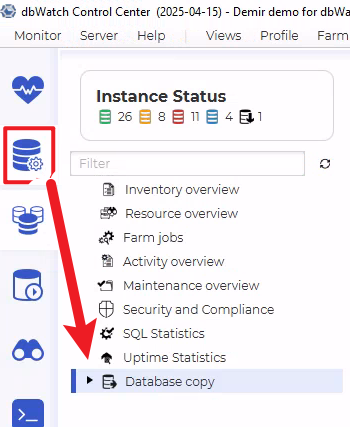
Open Farm View in dbWatch Control Center.
In the left menu, navigate to:
Database copy
This expands into a detailed view of all registered SQL Server instances with Push and Pull jobs configured.
You can select individual instances—such as gerrard, kethor P, or kohlma—to view job-specific data.
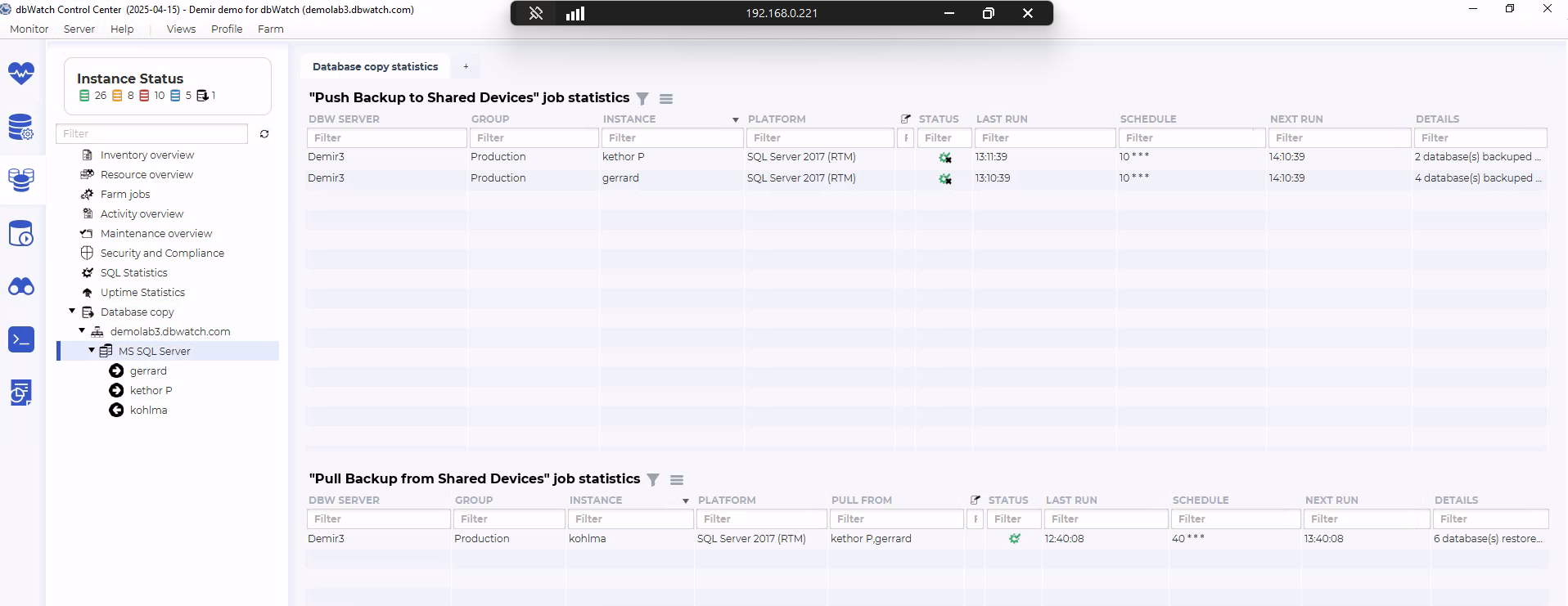
Job Statistics (Push & Pull Jobs)
This image shows job-level statistics for both Push and Pull backup jobs.
Push Backup to Shared Devices – Job statistics (top section)
For each instance running the Push job, the table shows:
DBW Server
Group
Instance name
SQL Server platform/version
Status
Last run time
Next scheduled run
Schedule pattern
Details (number of databases backed up)
This provides a summary of when the job last ran, when it will run next, and its current health/status.
Pull Backup from Shared Devices – Job statistics (bottom section)
For each instance running the Pull job, the table shows:
DBW Server
Group
Instance name
SQL Server platform/version
Pull From (source instances)
Status
Last run
Next run
Schedule
Details (number of databases restored)
This summarizes the restore activity, including the Pull workflow timing and status.
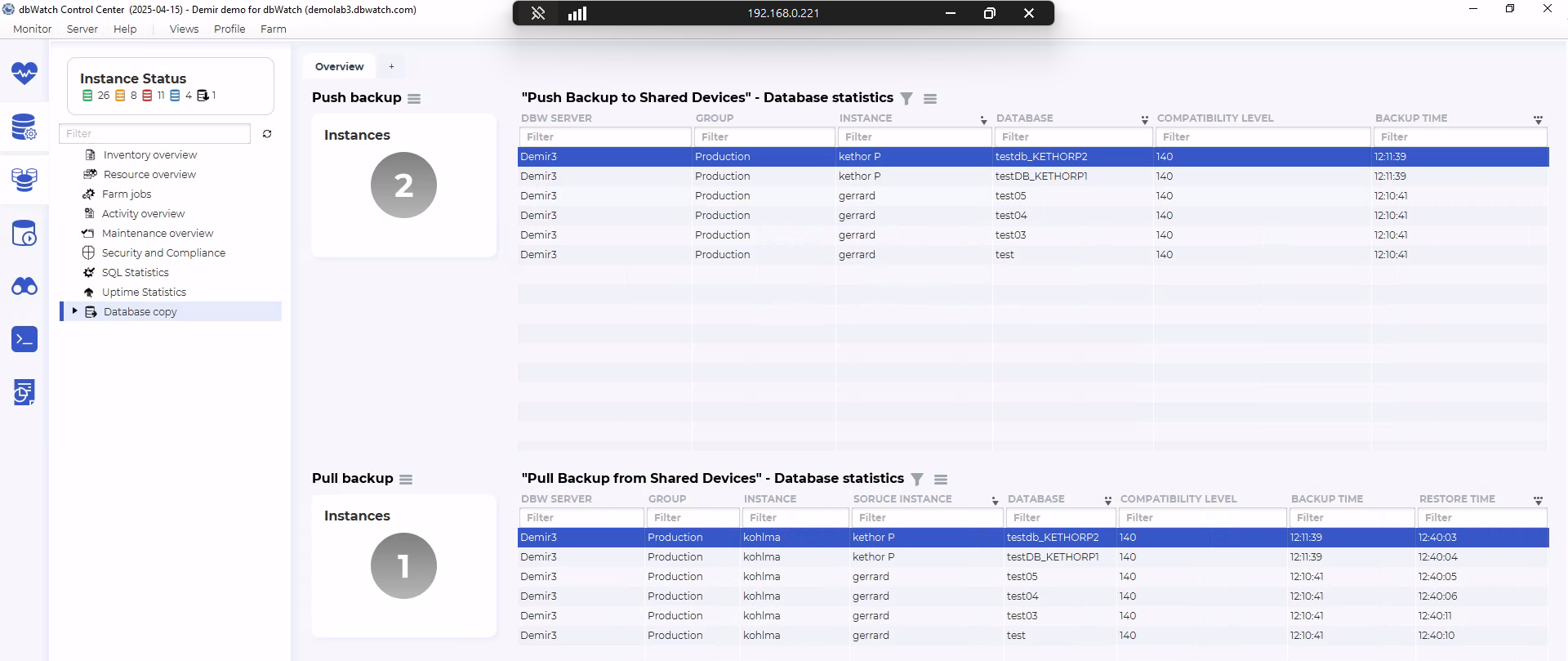
Job Statistics Overview
This image shows the job statistics overview for both Push and Pull jobs inside the Database copy section.
Push Backup to Shared Devices – Job statistics (top table)
For each Push instance, the table shows:
DBW Server
Group
Instance
Platform / SQL Server version
Status
Last Run
Schedule
Next Run
Details (number of databases backed up)
It provides a summary of when the Push job last executed and when it will run again.
Pull Backup from Shared Devices – Job statistics (bottom table)
For the Pull instance, the table shows:
DBW Server
Group
Instance
Platform
Pull From (source instances)
Status
Last Run
Schedule
Next Run
Details (number of restored databases)
This shows the timing and configuration of the active Pull job.
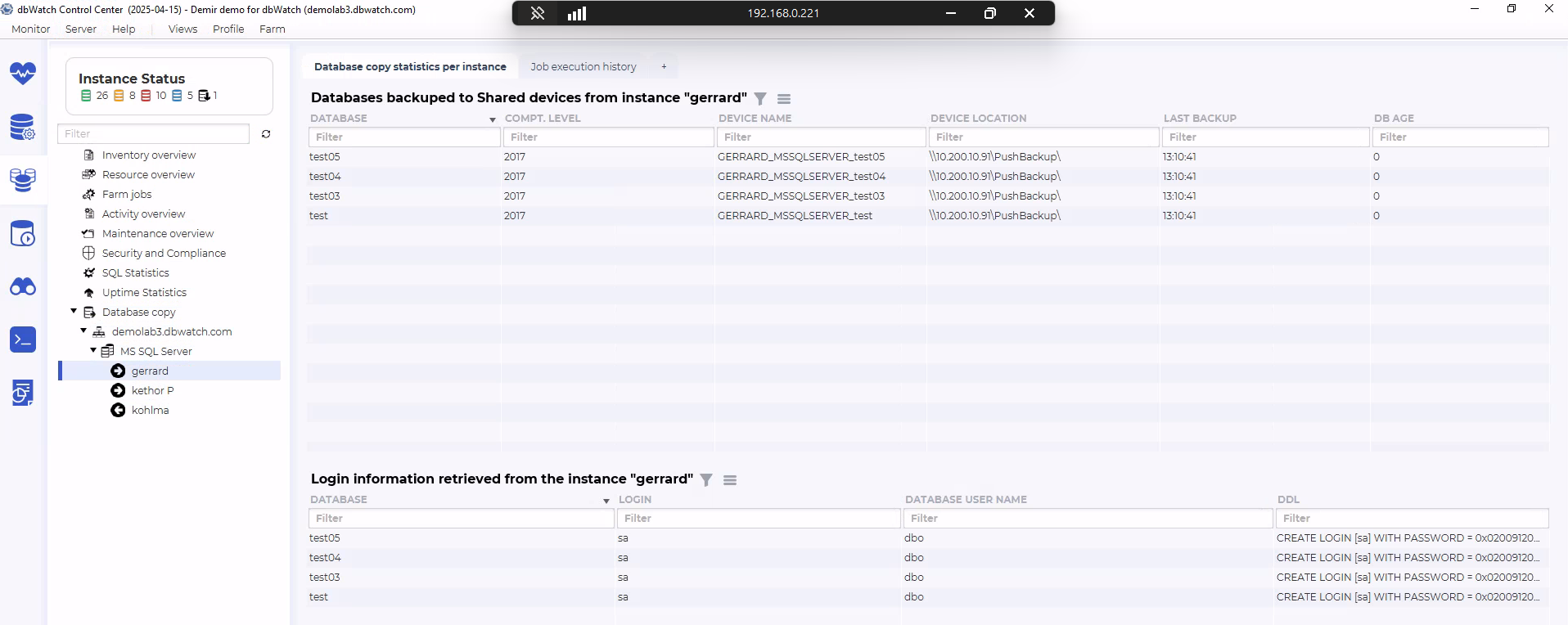
Push Database Statistics
This image shows the database-level Push statistics for the instance gerrard.
The upper table lists all databases backed up to shared devices, including:
Database
Compatibility Level
Device Name
Device Location
Last Backup
DB Age
This provides a detailed view of which databases were backed up and where the backup files were stored.
The lower table shows Login information retrieved from the instance, including:
Database
Login
Database User Name
DDL (SQL statement to recreate the login if needed)
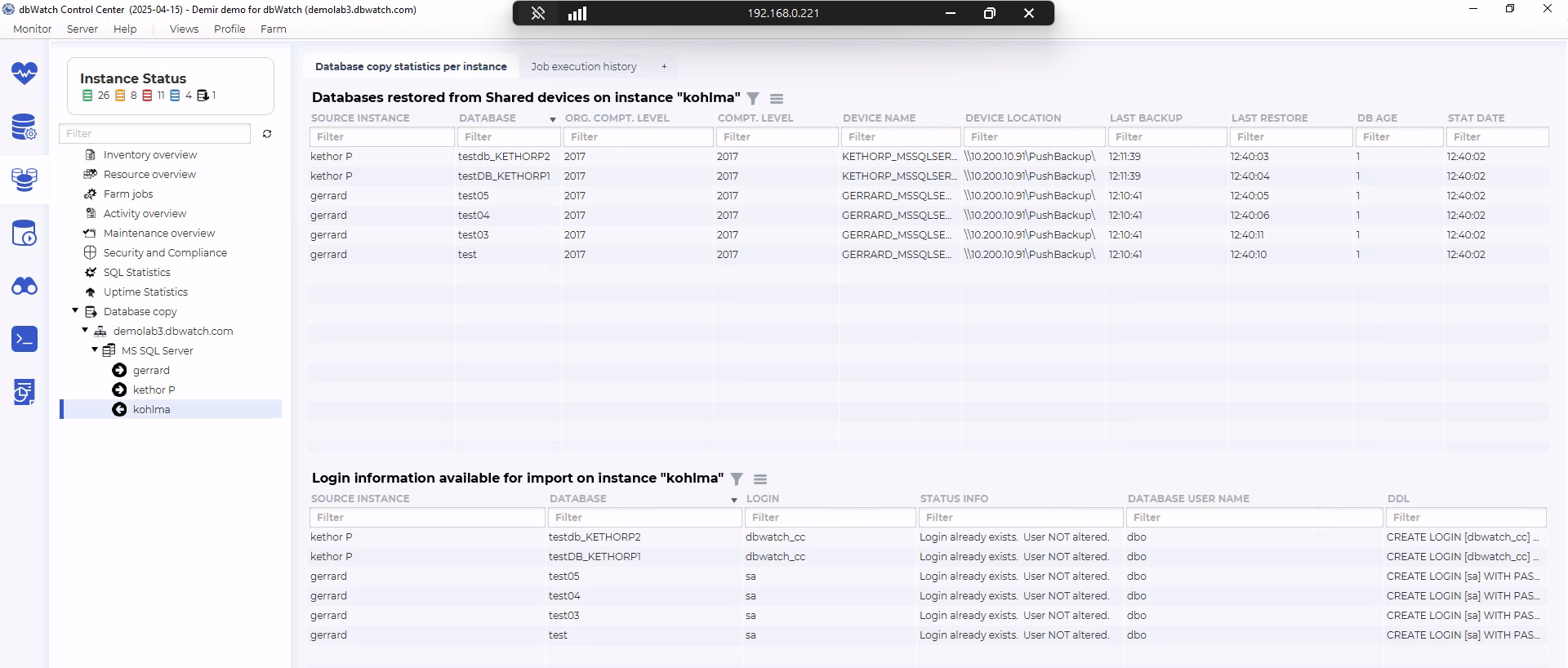
Databases Restored from Shared Devices
This image shows the Pull restore statistics for the instance kohlma (top table).
For each restored database, the table lists:
Source Instance
Database
Original Compatibility Level
Compatibility Level
Device Name
Device Location
Last Backup
Last Restore
DB Age
Stat Date
This shows exactly which databases were restored on the instance and when the restore occurred.
The lower table shows login information available for import, including:
Source Instance
Database
Login
Status Info
Database User Name
DDL
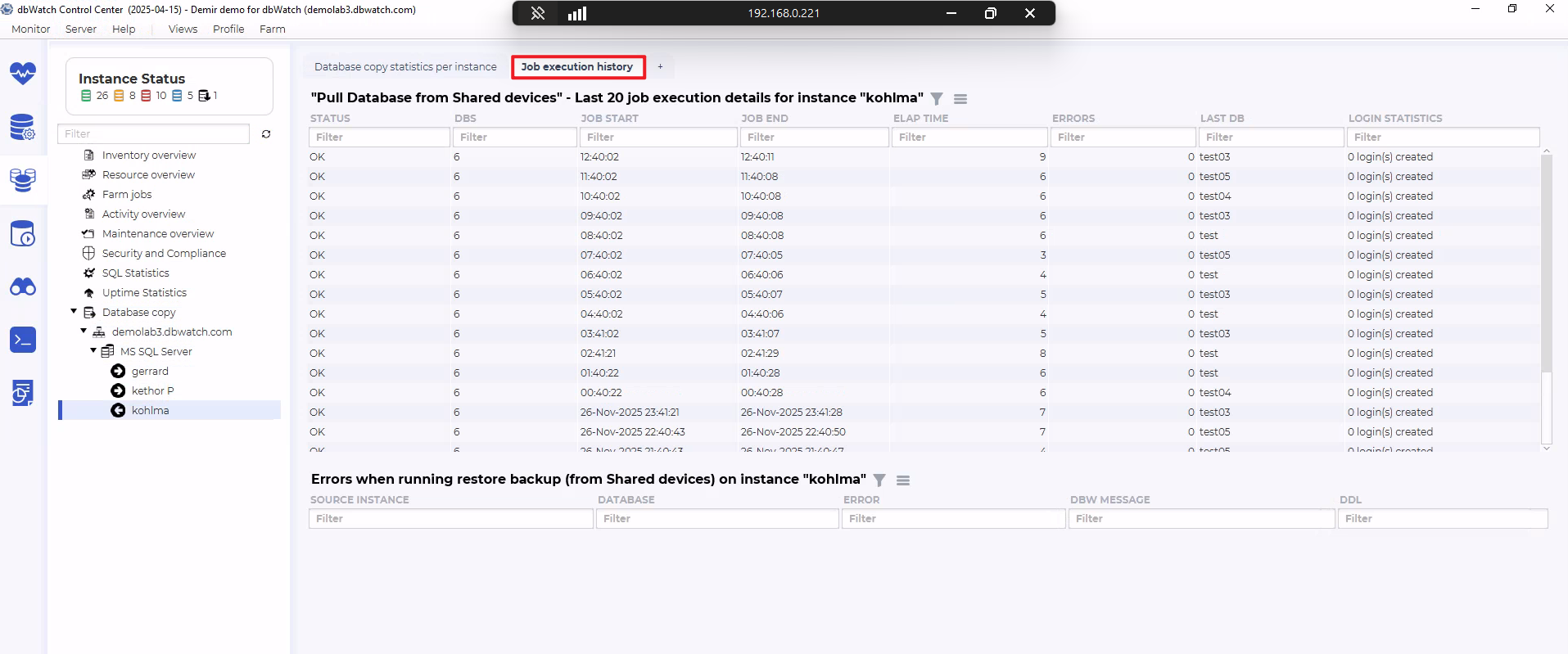
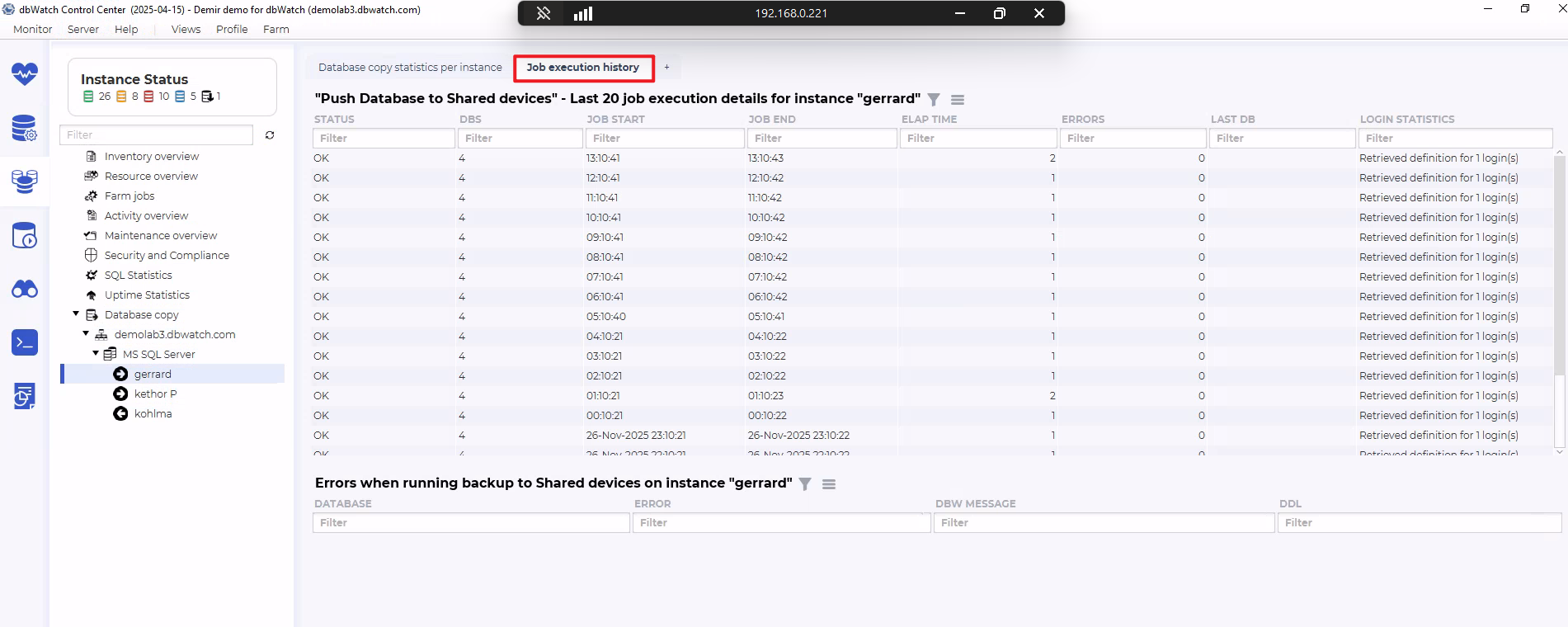
Pull Job Execution History
This image displays the Pull job execution history for the instance kohlma.
The main table lists the last executions of the Pull job, including:
Status
DBs (number of databases restored)
Job Start / Job End
Elapsed Time
Errors
Last DB
Login Statistics
Below the history table, an Errors section shows:
Source Instance
Database
Error
dbWatch Message
DDL (if applicable)
This panel is used to review past Pull job runs and inspect any problems.